Argil AI: The Clone Customizer for Video Content Creators
See what Argil AI actually does: train an AI clone of yourself, generate videos in Playground or Director, and compare Free, Pro and Business plans.
Argil: The clone customizer for video content creators
Argil AI is a video creation platform built around a customizable AI clone of you. Train it once from a short recording, then generate scripted, presenter led videos, product demos, and multi language content without a camera, a crew, or an editor. It's the answer for creators and brands who need to scale video output without losing the personal connection that makes video work in the first place.
Video is the format of choice across the internet. There's no better proof than every social platform building around video shorts: Instagram Reels, Snapchat Spotlight, LinkedIn video and more.
It's because video drives the most engagement, and creators eventually have to scale their video output for real growth.
Even knowing this, it's still hard to produce video content at scale given the obstacles in the way:
- scripting your videos
- multiple takes recording yourself
- learning how to edit or use third party software
- not being able to afford to delegate or hire freelancers
The need for time and resources makes it hard for creators and brands to build scalable content systems, let alone balance that scalability with the personalisation needed to keep the audience connected.
So when creators started looking for a solution, they came across digital avatars. The problem was that before AI improved, these avatars were generic and didn't allow for much customisation.
In this article, we'll go over the limitations of generic digital avatars, and why content creators need something more personalised, like Argil's customisable AI clone of yourself.
The early solution: generic digital avatars and their limitations
Early on, AI driven avatars looked like an attractive alternative to actual video production because of their scalability.
This made avatar based platforms like HeyGen popular, letting creators use pre made, generic avatars in their content, but these avatars were limited in functionality and personalisation.
For a comparison with digital avatar platforms like HeyGen, read 3 more Synthesia alternatives for content creators.
For content creators, videos need to form a connection with the audience, so the key issue was a lack of individuality. You couldn't customise these avatars to match a unique look, style, or persona.
In other words, generic avatars didn't allow for real personal branding, a genuine drawback for anyone building an audience.
Why content creators need more than just an avatar
Every content creator who wants to stand out or build a loyal audience needs a personal brand, and viewers can tell within seconds whether they're watching a real person or a generic stock avatar reading a script off a HeyGen-style template.
That means the tools have to capture a creator's actual voice, style and appearance: a viewer who has seen your face before should recognise your clone as you, down to how your mouth moves when you laugh, not "an avatar with your face on it."
That's the gap generic avatar tools leave open, and it's what pushed us to build Argil as an automated way to scale video production without sacrificing that personal touch.
Introducing Argil: the AI clone customizer for content creators
Most creators are hesitant to adopt tools that fail to capture their individuality, so we built Argil to achieve scalability while fully keeping personality and authenticity intact.
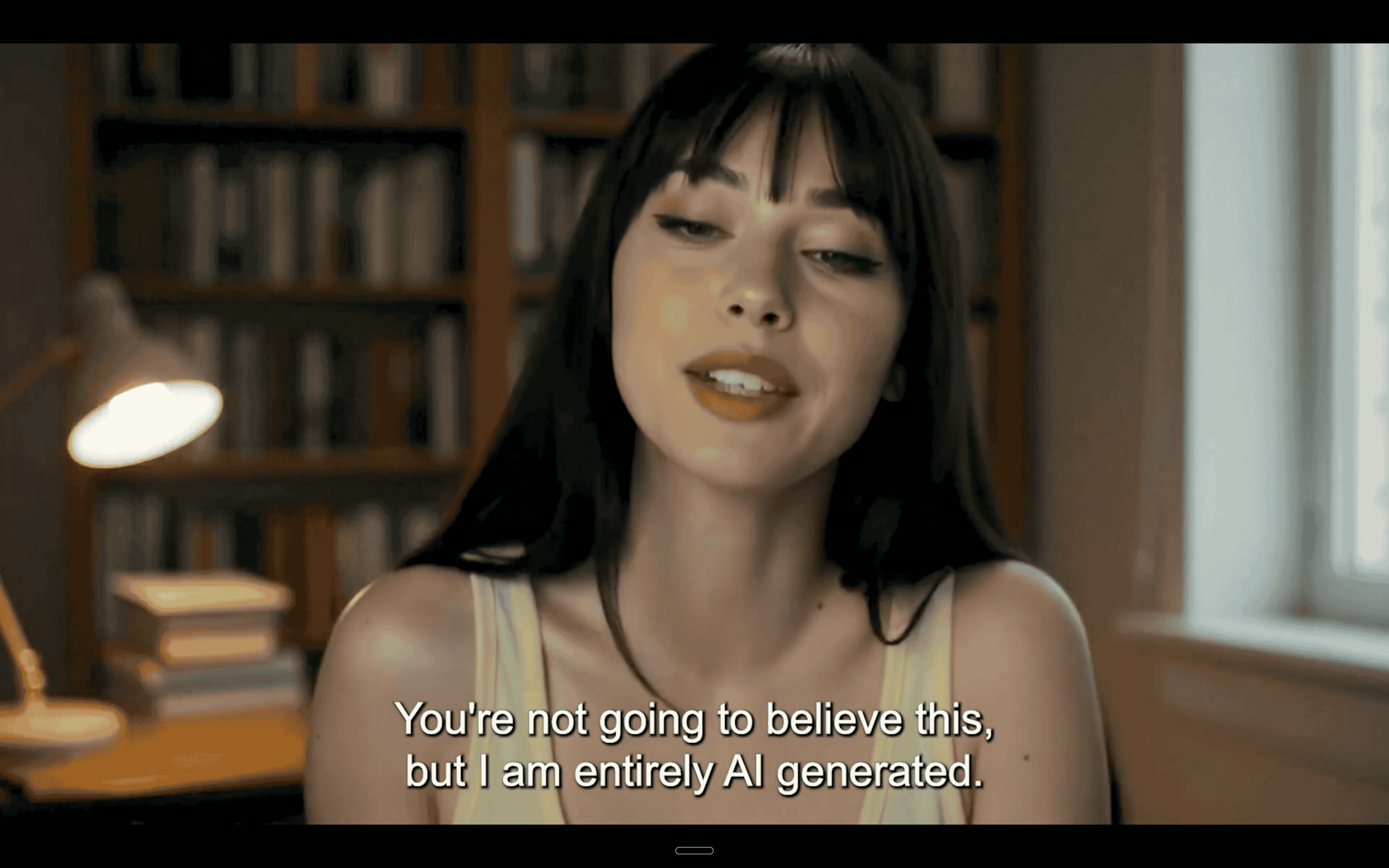
Our technology lets creators make a twin, or "AI clone," of themselves by training it on their body language, voice, and mannerisms from a short recording of themselves.
The ability to make an AI twin with real life likeness and accuracy is what sets Argil apart from simple avatar tools.
You can read how Kwebbelkop is using Argil to scale his second channel.
Argil today: Playground, Director and Templates
Argil has grown from a single clone-and-generate flow into a full platform built around 3 surfaces, so how you use it depends on what you're making:
- Playground: generate individual images and video clips model by model, useful for quick social cuts, product shots, and one-off assets.
- Director: take an idea all the way to a finished video, including longer form work. This is where Argil now supports "film and series" style production, so you can plan and produce content with several scenes or episodes using your clone in one connected project.
- Templates: reusable structures (entry, variables, instructions) so a recurring format, like a weekly update or a testimonial video, can run again and again without rebuilding it from scratch each time.
Director is the biggest shift from the tool's original "record a short clip, generate a video" model, and it's the reason a creator or team can now plan a whole content calendar inside Argil rather than exporting one clip at a time. See the current breakdown of Playground, Director and Templates on the product page.
Key features of Argil that set it apart from traditional avatar solutions
Here are the features that matter most for creators looking to scale without losing their voice:
Personalised cloning
Your AI clone is trained from a short recording of yourself and captures your personality and voice as well as your movements, so it moves and sounds like you specifically, the way a stock avatar with your face pasted on never could.
To understand the specifics more, read how Argil captures body language and camera angles. For a closer look at how the clone-matching process itself works, see how custom matches work in AI video.
No camera needed
Once your AI clone is trained, you can generate videos from a script, either written yourself or drafted with Argil's AI writing assistant.
Edited video outputs
You can adjust the outputs by editing your script or selecting different edits from the built-in editing suite: transitions, B-roll, and camera angles, all without needing editing experience.
You can read about using Argil for an automated TikTok channel or Instagram Reels channel in our previous articles.
Multilingual video
You can produce videos in multiple languages to reach global audiences, without needing separate translation or having to film again in another language, which is useful for creators targeting audiences across several countries.
A/B testing videos
Because you can produce videos quickly, you can run more tests to see what actually performs with your audience, and optimise for engagement and reach faster.
Advanced use cases for Argil's clone creator
Now that you know how to clone yourself in a video, here's what you can actually use it for.
Argil's clone creator works as a content engine for creators, marketers, educators and teams who want to make video content without the usual time and budget constraints.
Here are some of the ways people are already using it:
Automated educational videos
Educators and course creators can turn textbooks and course content into short, shareable videos using Argil's text-to-video workflow.
Your digital clone (or an avatar built for a representative or company spokesperson) delivers the content, cutting out the camera, the reshoots and the hours of editing.
These videos become evergreen content you can share on socials, embed in emails or use as gated course content.
Product demos and reviews
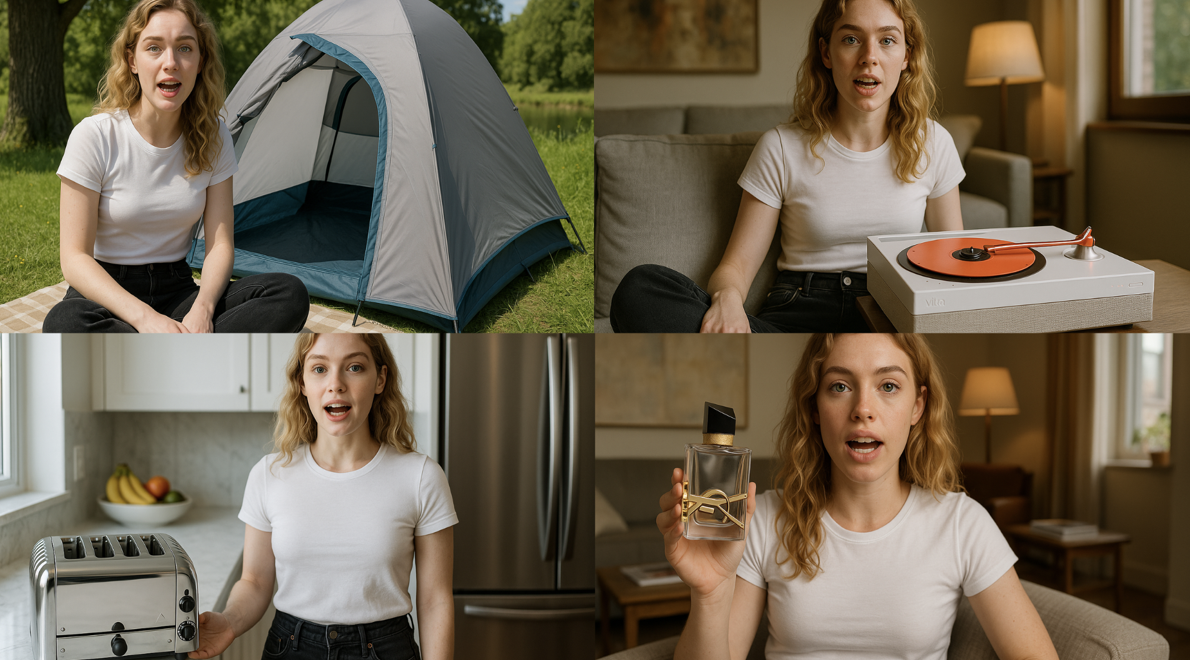
Using Argil's avatar update, your clone can hold and demo your product, saving you filming and editing time.
Argil's clone creator can generate different versions for multiple audience segments and platforms without manual rework.
By integrating with Make.com, you can also connect Argil to your customer feedback software to launch a new testimonial video featuring your avatar whenever a user leaves a review or you launch a new product.
Video content in multiple languages
A single clone works across every market you sell into. Brands running regional social pages, localised YouTube channels, or country-specific ad campaigns can keep the same presenter across all of them instead of hiring a local face for each language, which is where the multilingual capability above tends to pay off most directly.
Internal communications
HR and People teams can use Argil's clone creator for training materials and company wide updates with a consistent, recognisable presenter.
This means onboarding videos and training content can be produced at scale without multiple video calls or repeated filming sessions.
Customer support and FAQ videos
Clone creators help reduce the time spent manually answering customer queries. You can build a library of video FAQ content to support your product or service, since video is generally easier for people to follow and retain than text alone.
Integrating Argil with Make.com for automated content workflows
Argil's clone creator, combined with an automation platform like Make.com, lets you keep up with content demand without doing every step by hand.
Make is a no-code automation platform for building and customising automated workflows across thousands of apps.
With Make.com, you can connect video production to email platforms, CMS tools, scheduling software, WhatsApp, Notion, Slack and more, so the process runs from idea to published post with far less manual handling.
For example, if you're a course creator wanting to turn a PDF into a short, shareable video clip, you can connect your PDF.co account to your OpenAI account and integrate with Argil for an automated workflow.
Each time the scenario runs, PDF.co converts your PDF into readable text, your OpenAI module turns that into a video script, and Argil generates the video performed by your trained clone.
A new video comes out complete with B-roll, visual transitions, your avatar and captions, and you're notified when it's ready.
Why automate clone customizer workflows
If you're wondering how to keep up with growing content demand without hiring, building an automated content workflow is usually what closes the gap, cutting down the time spent on manual tasks like filming and editing.
Thanks to advances in AI tools, this isn't as complex as it sounds. Content creators can build workflows that need very little manual input by connecting Argil's clone customizer with an automation platform like Make.com.
Make integrates natively with Argil, so you're not limited to the apps listed above, whatever the rest of your content stack runs on, there's likely already a connector for it.
For example, if you want to collaborate with brands and create UGC style content, you can turn a quick review or testimonial into a full video using an AI clone, complete with a choice of dynamic backgrounds, B-roll, music, captions and voiceover.
Using this video as a template, you can generate variations for different brands, or with different opening hooks, CTAs or styles, and let performance data tell you which one to run with, rather than sending a single guess and hoping. If a client or brand partner suggests edits, you can make those in a few minutes from the same editor.
Building an automated content system is also useful if you produce a video series or episodic content, since you can set up a workflow that triggers when a new episode is planned in a Google Document or Notion page. All you need is a text prompt, and Argil's clone customizer will generate a script, create a video and have your avatar perform it. You just approve the final product.
Argil x Make for automated clone customizer workflows
- Create an account on Make.com
- Connect your Argil account using this link
- Connect your Google Sheets or Notion account, wherever your content ideas are stored
- Use Make to trigger Argil to generate a new video when a content idea is added
- Connect Make to your Slack or comms app to get notified when the video is ready, or link your scheduling software for auto-uploads
How Argil compares to other clone creators
Compared to other clone creators on the market, Argil is setting a new standard with realistic, dynamic AI avatars.
If you're searching for how to clone yourself, you'll likely come across tools like HeyGen and Synthesia. These are capable tools, but their avatars tend to read as more generic and less expressive.
Argil focuses specifically on personal cloning: creating AI clones of individual creators with their own speech patterns, facial expressions and gestures, including lip-sync across multiple languages and gesture training aimed at natural, fluid delivery.
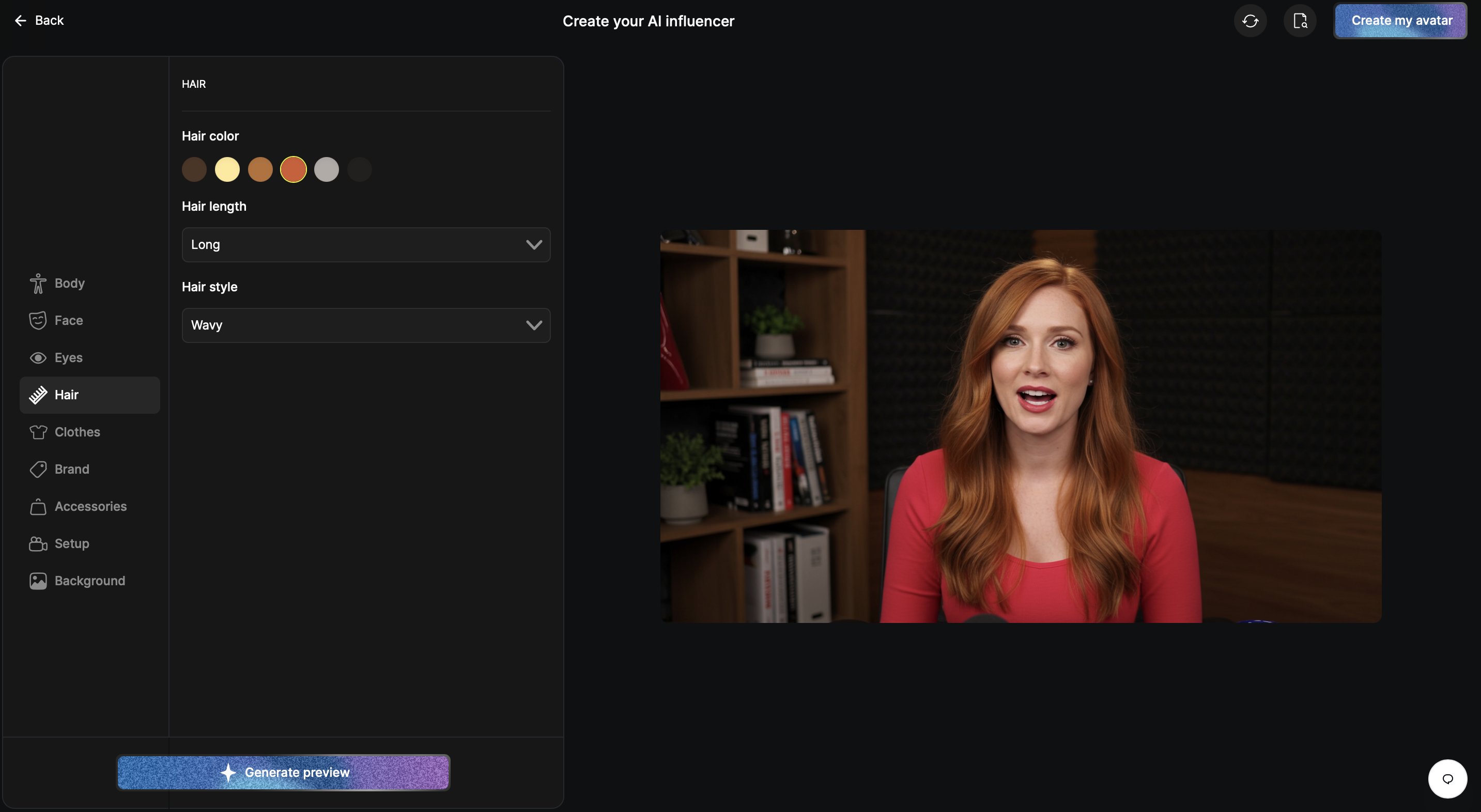
Argil also offers a high level of customisation in avatar behaviour specifically, on top of the editing tools covered above: wardrobe changes, vocal tone control and expression presets, with Argil's AI assistant making suggestions to help refine content for engagement.
For creators researching how to clone yourself in a video, Argil combines professional grade cloning with an interface anyone can use, no technical background required, whether you're scaling content output or producing UGC and affiliate marketing content.
Argil's plans, from free to enterprise
Argil is free to start, with paid plans for creators and teams who need more volume or more of the platform.
- Free: try the core clone and video generation tools before you commit to anything.
- Pro: built for individual creators and fast moving teams, with monthly plan credits, access to all generation models, and email support.
- Business: everything in Pro, plus Director (for longer form work with several scenes or episodes) and a shared team workspace.
- Enterprise: custom, volume based credit pricing for larger organisations, with dedicated support, onboarding and audit logs.
All paid plans can be billed monthly or yearly, with a discount for paying annually. Because credit allotments and pricing are matched to usage and can change, check Argil's live pricing page for current plan costs rather than relying on a number quoted elsewhere, including older versions of this article.
With Argil, you don't need any additional tools or plug-ins to go from idea to finished video, all inside one platform.
According to recent reviews, Argil is easy to use and the output is "more than impressive" while also being noticeably faster than traditional editing workflows.
Recent platform updates to Argil's clone technology
Argil has shipped a number of updates driven directly by user feedback since this clone customizer first launched.
The AI assistant now supports conversational script editing, so you can adjust tone (more natural, more formal, and everything between) in seconds and tailor it per video variant or use case.
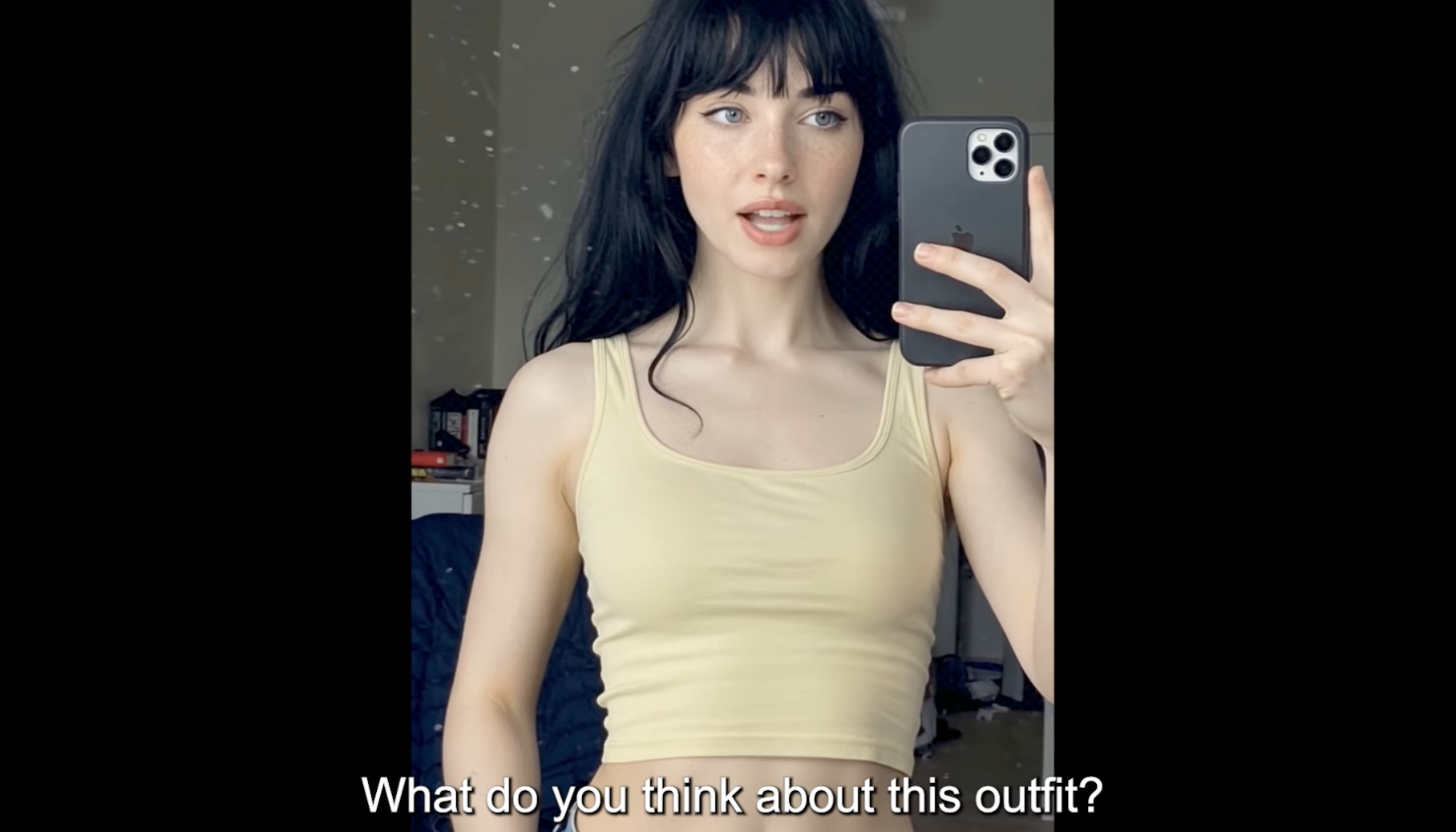
An internal "hooks engine" automatically optimises intros for engagement across platforms, and avatars have gained improved gesture control, facial reactions and lip-sync, including natural pauses and the ability to operate in more complex settings like walking down a street, reading in a park or working out. You can see the latest avatar update on YouTube.
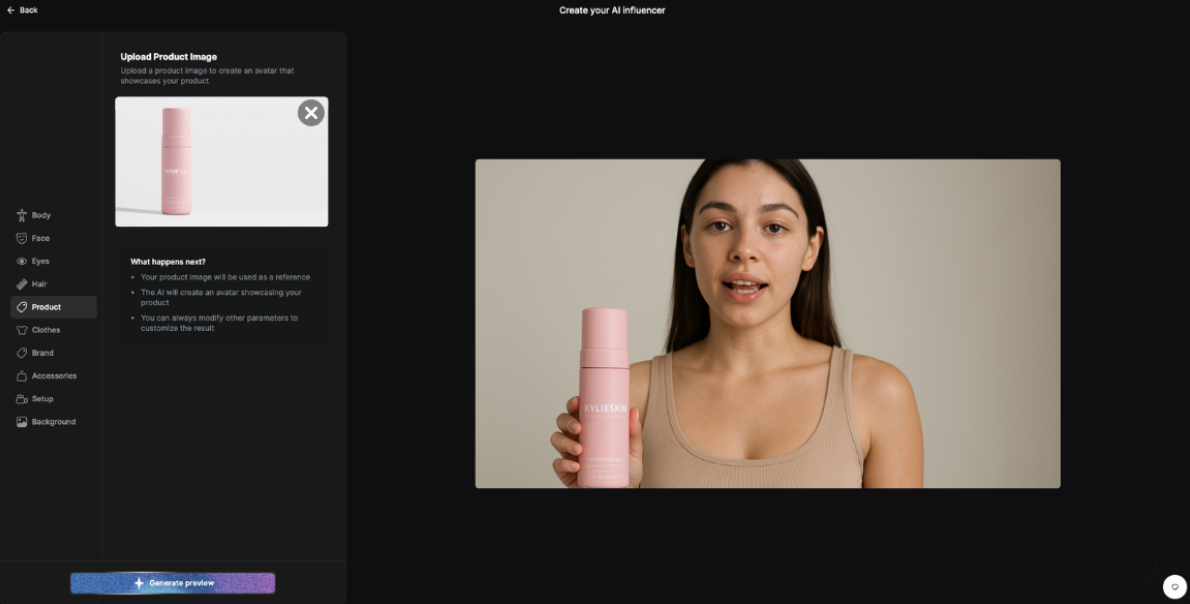
Your avatar can also showcase products from a simple image upload, holding an item, showing it to camera, or picking it up from a countertop, which is useful for UGC or ecommerce content. See it in action on YouTube.
Argil has also added dozens of new base avatars with improved lip-sync, covering a wider range of professional and UGC influencer styles, and rendering speeds have improved so videos generate noticeably faster than before.
More recently, based directly on customer requests, Argil added support for many more languages from a single clone or avatar, one click content duplication and localisation, bulk script upload for multiple videos at once, and syncing with cloud storage platforms like Google Drive and Dropbox.
Together, these updates are why Argil now functions less like a single avatar generator and more like a production platform: Playground for quick generation, Director for longer form work, and Templates for anything you need to repeat.
The future of video creation with Argil's clone customizer
Director is the clearest signal of where this is heading: Argil went from "upload a clip, get a clip back" to a tool that can plan and produce a whole series, which means the unit of production is no longer a single video but a body of work with your clone as the recurring presenter.
A solo creator can go from publishing one avatar clip a week to running an actual content operation, without hiring anyone else to make it happen. A marketing department can plan a full campaign across products and regions, cloned, scripted and rendered from the same brief, instead of commissioning one demo video at a time.
Sign up to Argil to start making personalised content at scale, or explore AI video creation and what a real personal brand built on video looks like before you do.